
 SiteCasebook
Photo-first field inspection
Walk the site. Hand over the report.
SiteCasebook is a field inspection app for iPhone, iPad and Android. Keep the camera open, photograph each issue, describe it in a few words (or by voice on iPhone and iPad), tap Save & Next, and the camera is ready for the next one. Issues move from Open to Fixed to Verified, with Before and After photos, and become PDF reports.

For people who inspect on foot
Fifty issues on a walk, and one report at the end.
Made for construction inspectors, property and facility managers, building surveyors, HVAC, electrical and plumbing technicians, solar and telecom installers, and insurance and restoration inspectors. Every photo becomes a numbered observation the moment it is taken, and nothing has to be filled in before you save.
- Platform
- iPhone and iPad · iOS 18 or later
Android - Status
- Available on Google Play · iPhone & iPad in development
- Privacy
- Data Not Collected
- Purchase
- One optional one-time purchase · no subscription

Screens
Eight screens from version 1.0.
The App Store screenshots prepared for version 1.0: each shows a screen of the iPhone app on its sample project, with demonstration photos.
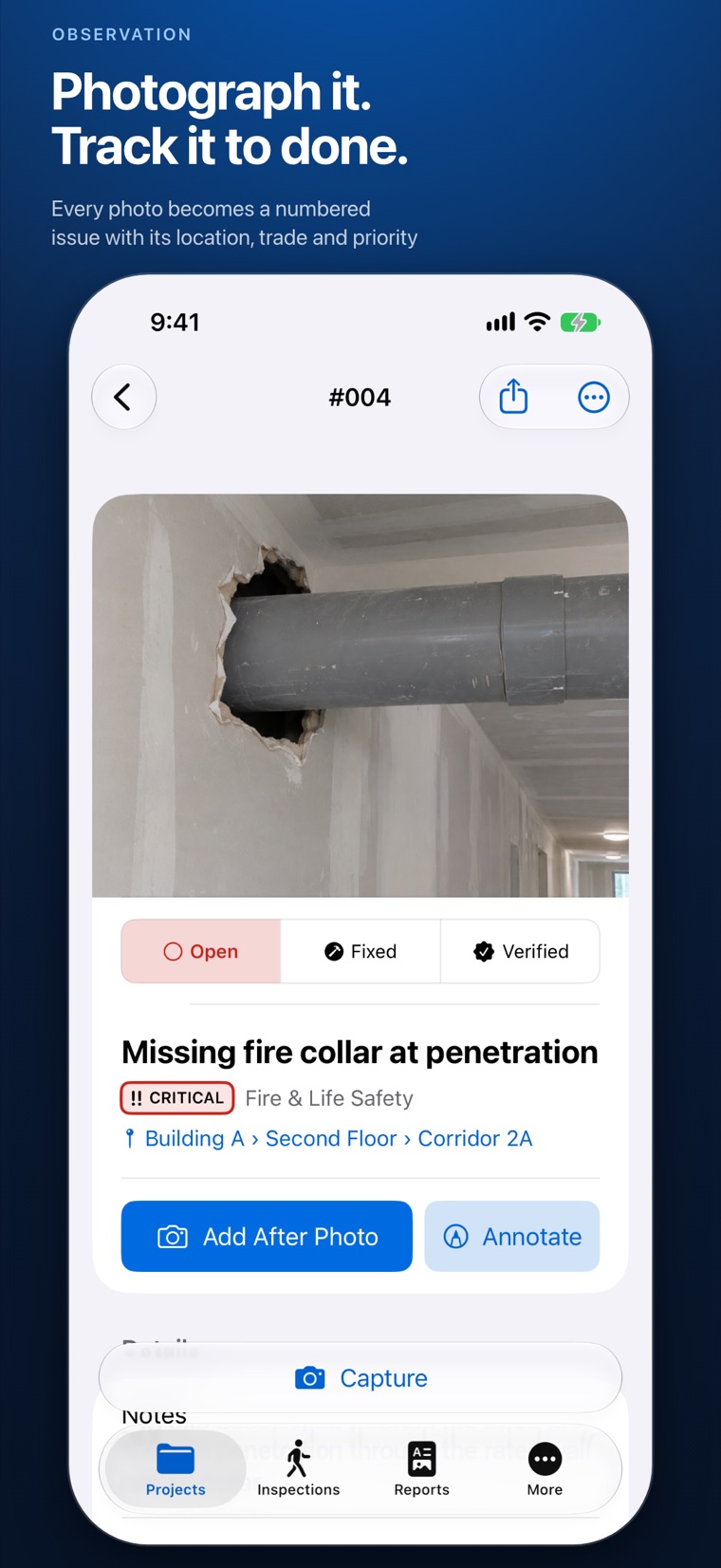
01Photograph it. Track it to done. 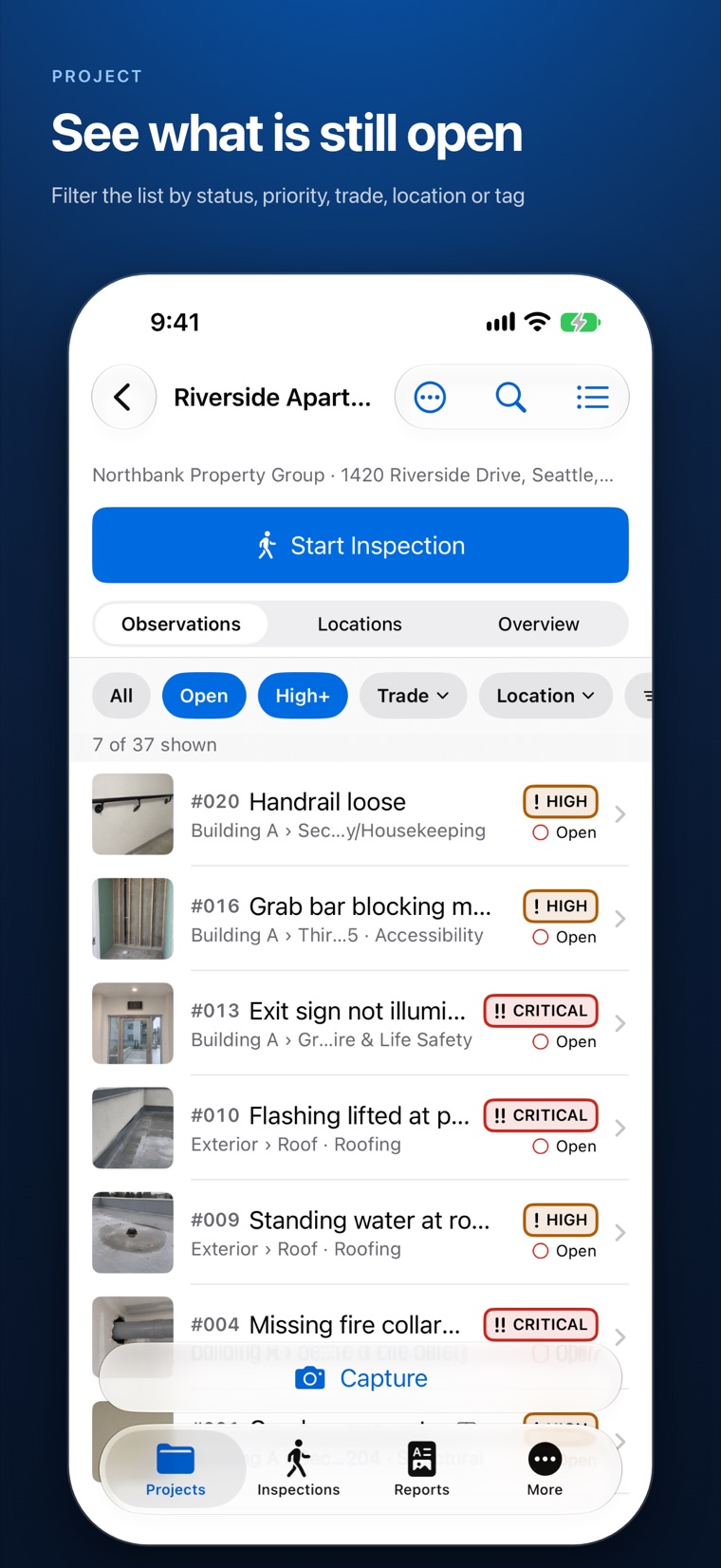
02See what is still open 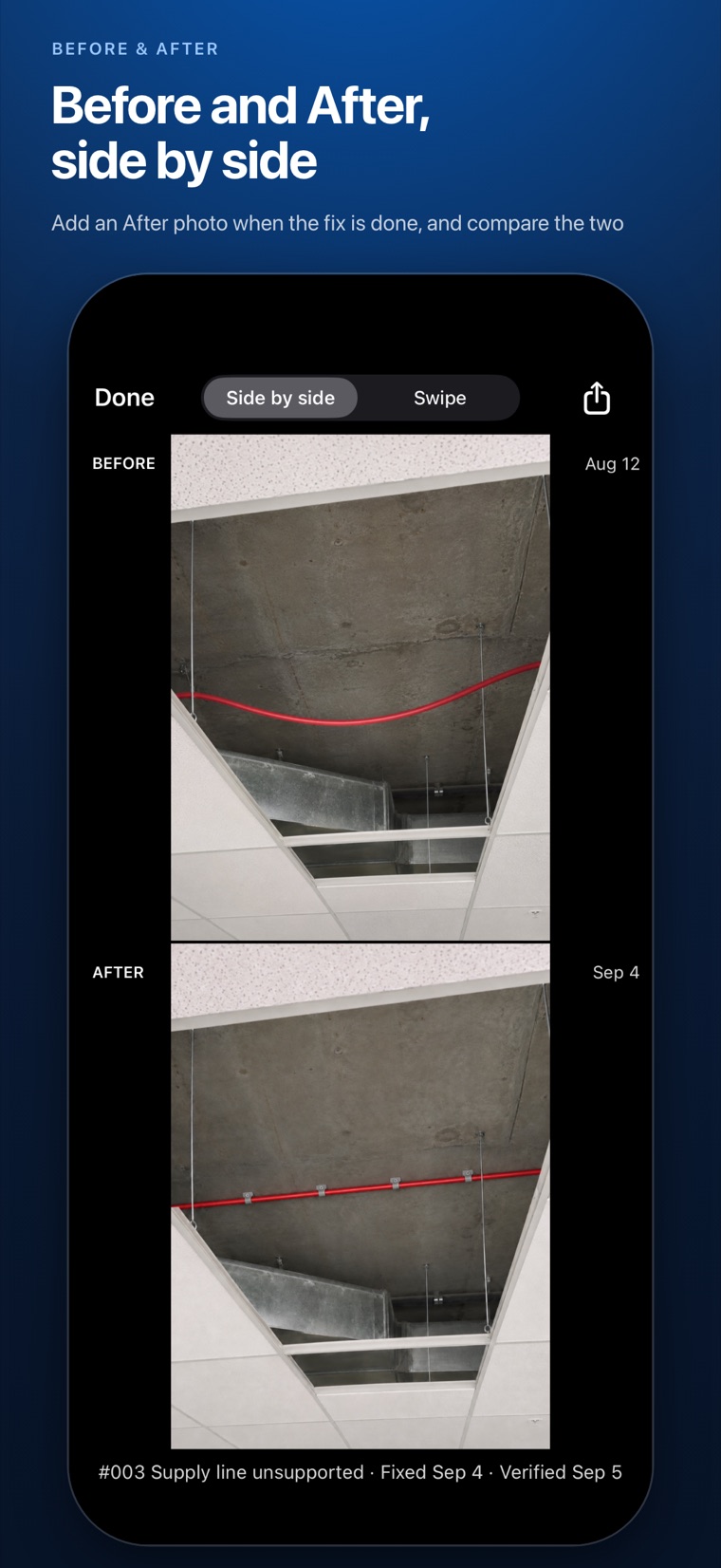
03Before and After, side by side 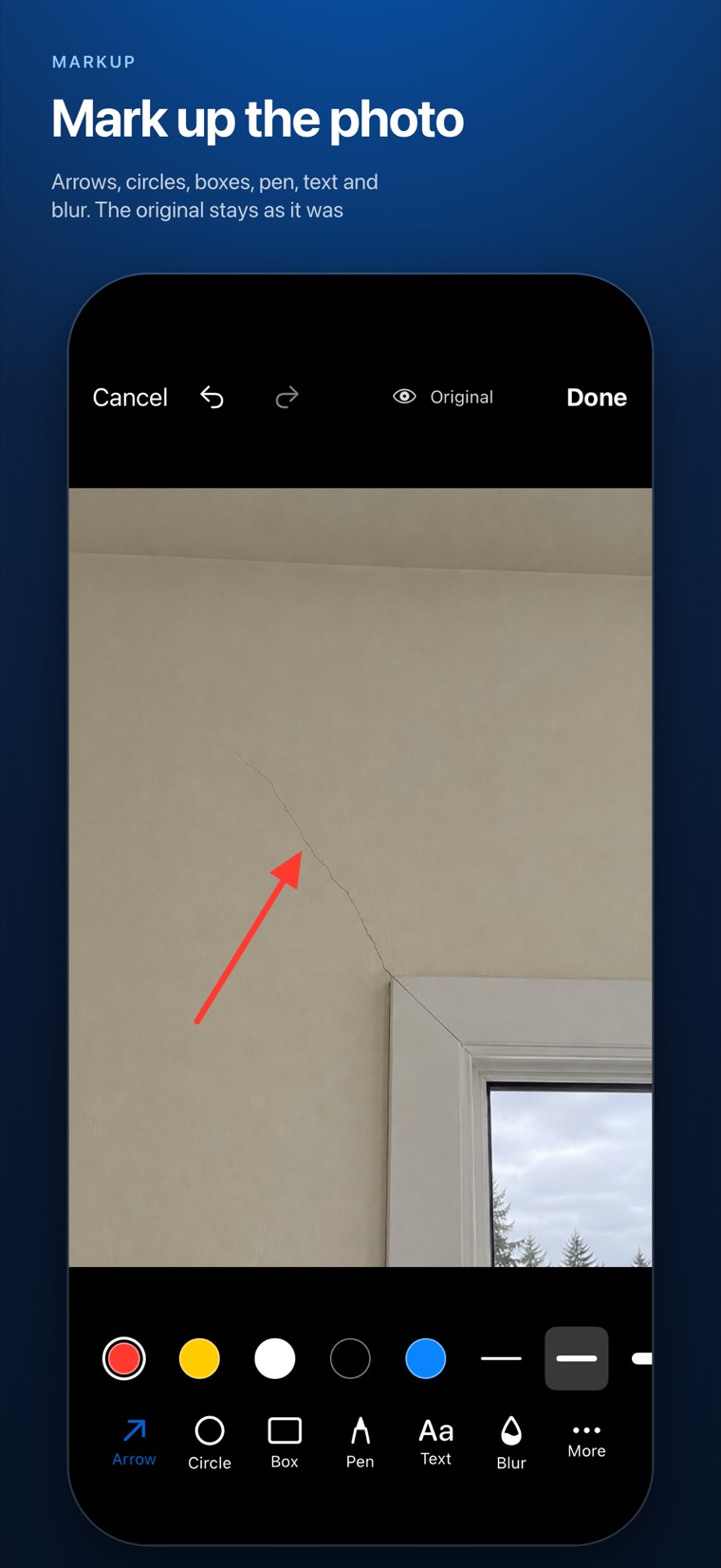
04Mark up the photo 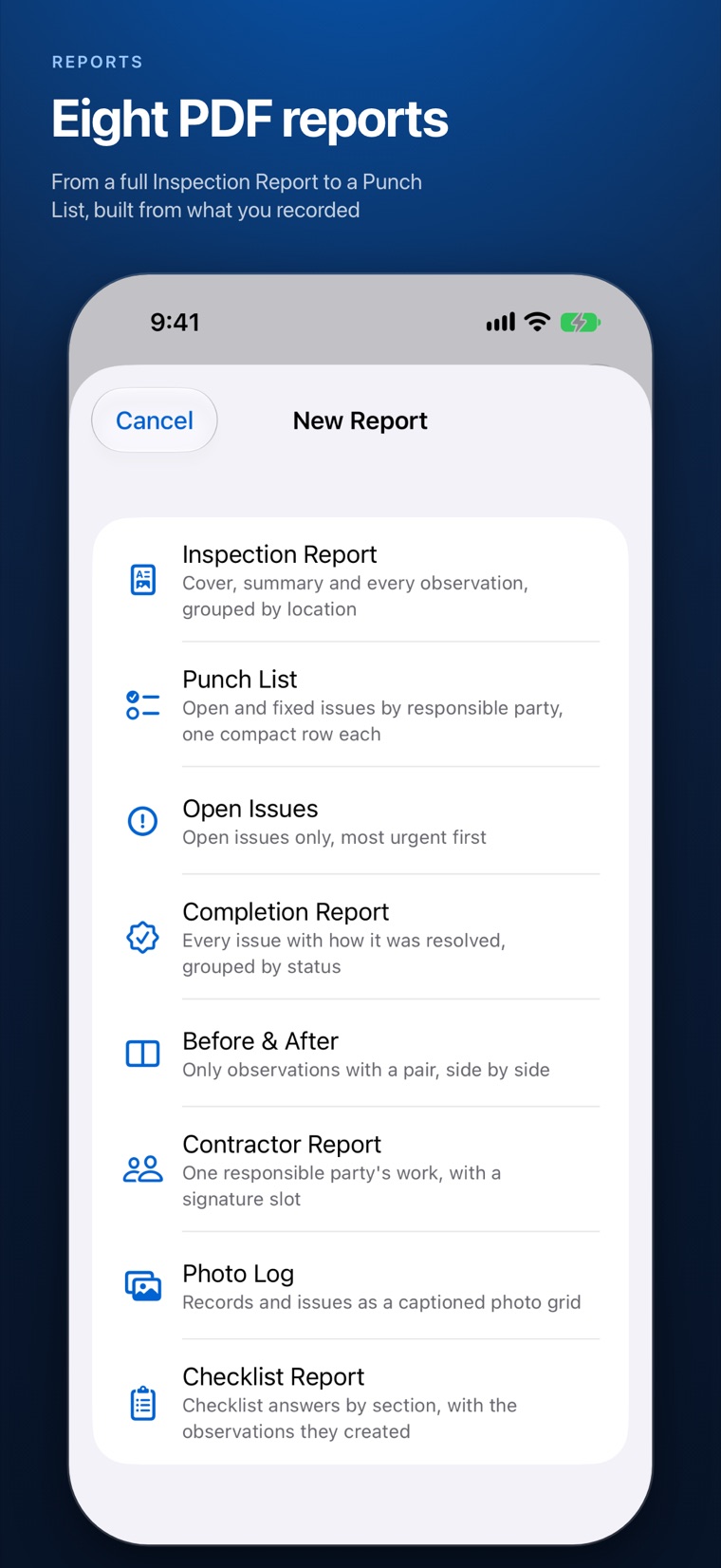
05Eight PDF reports 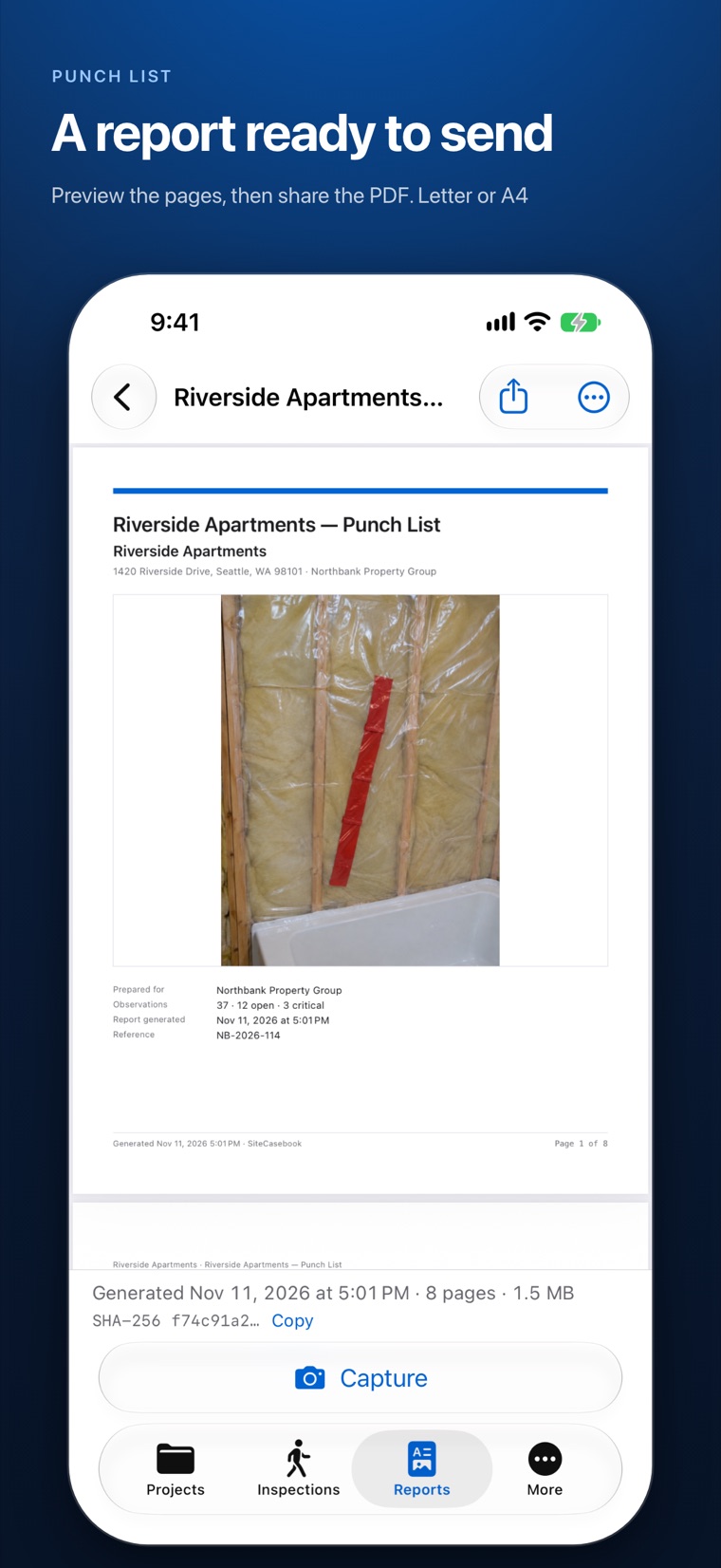
06A report ready to send 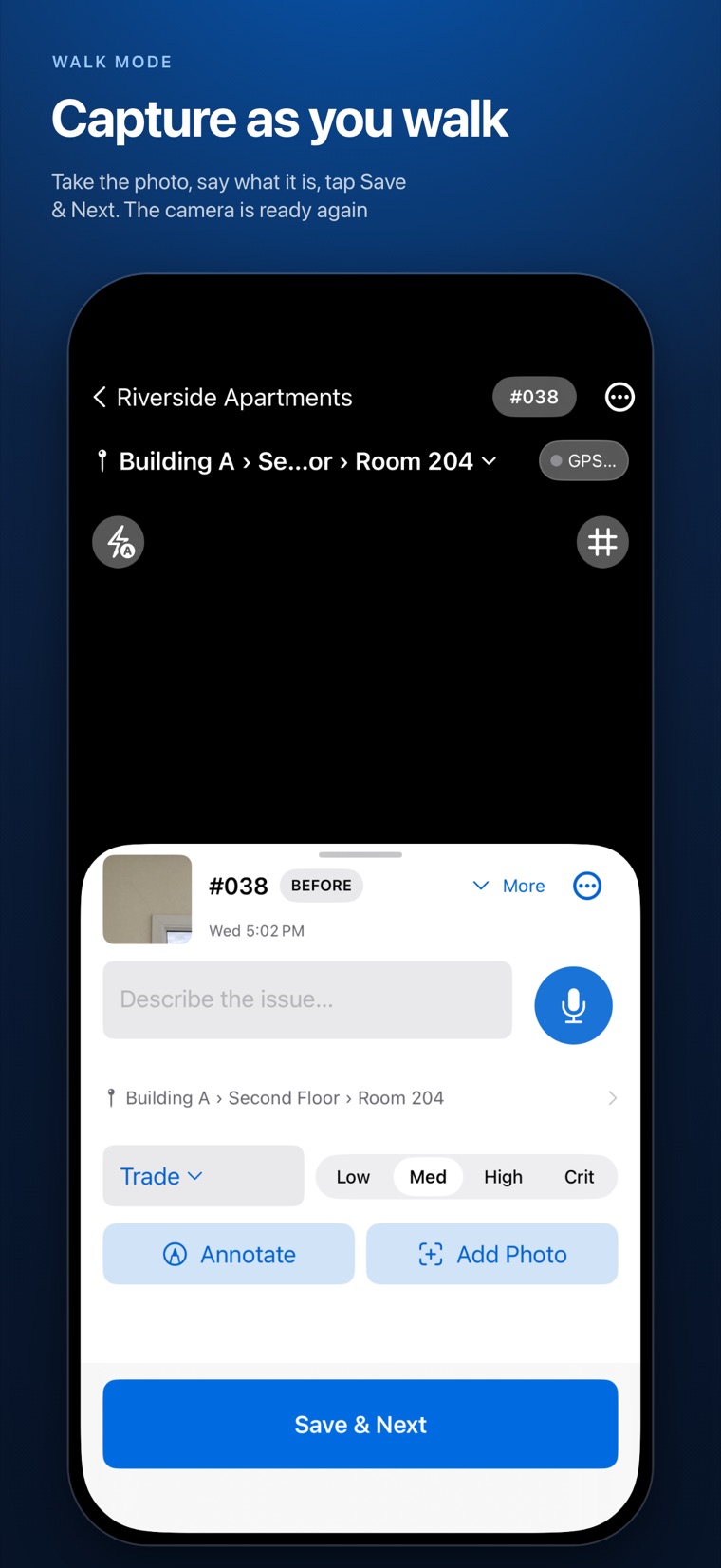
07Capture as you walk 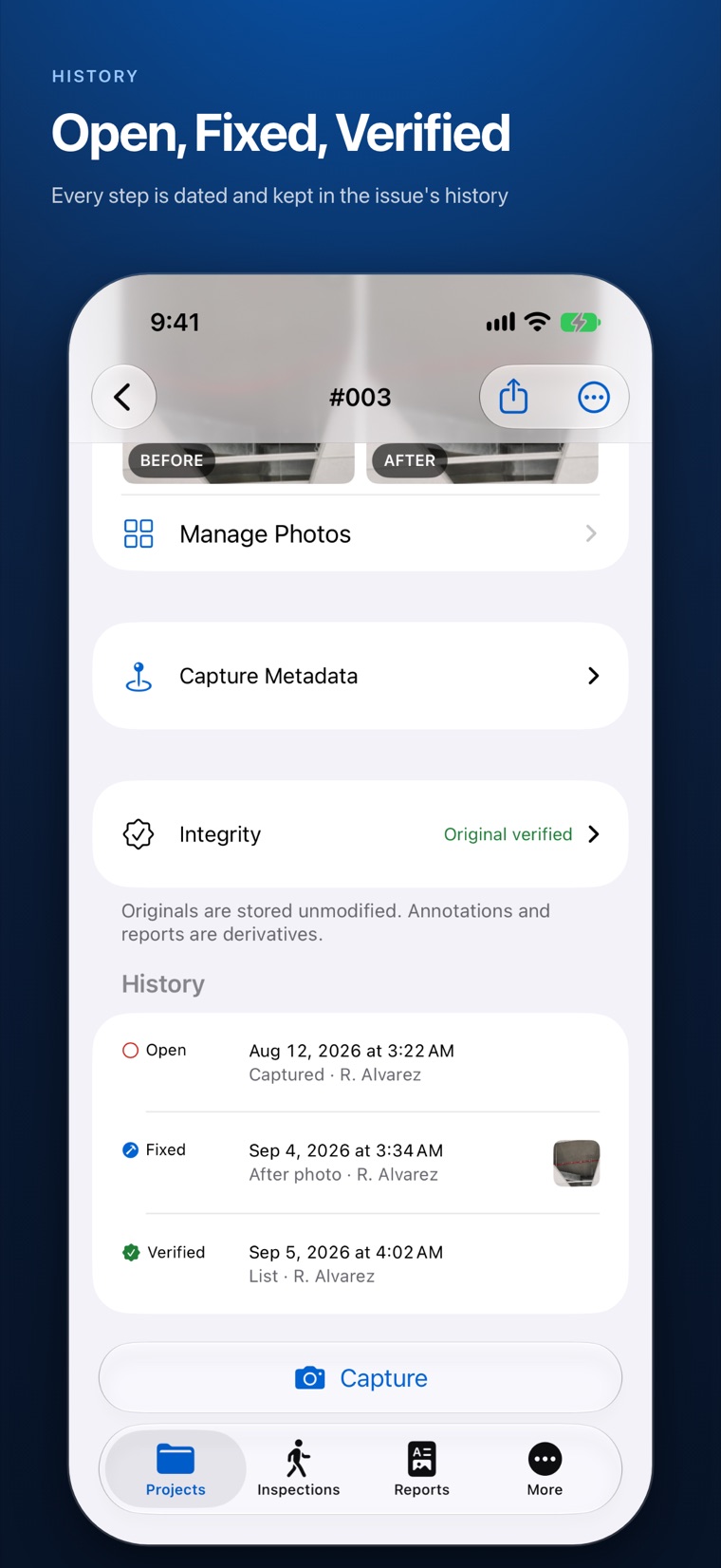
08Open, Fixed, Verified


Walk and capture
- Walk Mode keeps the live camera in front of you, with the shutter, voice and photo import in reach of one thumb
- Every photo is a numbered observation at once. Title, location and trade can wait
- Hold the microphone and speak: the title is written for you, and what you have already set is never silently replaced
- Set the location as you walk (Building › Floor › Room). Location and trade carry over to the next capture
- GPS position and compass heading are saved with the photo if you allow location
Track the fix
- Every issue moves from Open to Fixed to Verified, with each step dated and kept in its history
- Add an After photo and compare Before and After side by side, in the app and in reports
- Mark up a photo with arrows, circles, boxes, lines, pen, marker, text and blur; the original stays as it was
- Assign responsible parties, due dates, trades, priorities and tags, and filter the list by them
- Pass, Fail and N/A checklists, where a Fail can become an observation
Eight PDF reports
- Inspection Report, Punch List, Open Issues, Completion Report, Before & After, Contractor Report, Photo Log and Checklist Report
- A live preview of the pages before you generate
- Your company name, logo, accent color and footer. Letter or A4
- A signature, a map page or floor plan pages when the job needs them
Originals kept as they were taken
- Every photo is stored exactly as it was captured or imported, with a SHA-256 hash of its bytes
- Markup, stamps and report images are separate copies. The app never rewrites an original
- Verify All Originals re-hashes your photos and reports any file that has changed
A hash shows that a file changed. It cannot stop a file being changed, and SiteCasebook does not give a record any legal status. The app documents what you record; it does not replace professional judgment or the codes and contracts that govern your work.
Export and back up
- CSV, JSON, ZIP with the originals, and KMZ with GPS pins
- A map of your observations with GPS
- Archive one project or all of them and restore later
- Deleted items wait 30 days in Trash
Without a signal
Capturing, dictating in languages your device can recognize offline, lists, status changes, markup, reports and exports need no connection. Map tiles do.
On iPad
A multi-column layout, keyboard shortcuts and Apple Pencil for markup.
No account
No account, no sign-in, no ads, no analytics and no server of ours. Your projects stay on your device until you export or share them. On iPhone and iPad, maps come from Apple Maps, purchases go through the App Store, and speech is recognized on the device where possible and may otherwise be processed by Apple. The privacy policy has the detail.
One purchase
There will be one optional one-time purchase, with Restore Purchases, and no subscription. Without it you keep one active project at a time, and archiving it makes room for the next; the purchase removes that limit. With or without it, you will always be able to open, export and restore your own photos, observations and reports.
Availability and help
Developed here. Supported here.
SiteCasebook for Android is on Google Play. The iPhone and iPad version is in development and not yet on the App Store; its store link will appear on this page when it is released.
Questions, or a workflow it should fit: write to contact@brazierlabs.com.