
 FitterForge for iPhone
Pipefitter Tools & Calculators
The pipefitter’s calculator, drawn in 3-D.
FitterForge is a pipefitter’s calculator for iPhone: offsets, take-offs and the straight pipe length to cut, in fractional inches, drawn as a 3-D pipe you can orbit to see exactly what you are about to fabricate.
For pipefitters, welders, fabricators and mechanical contractors
Big readable results. One hand. Gloves on.
Offsets worked out in 3-D, with the straight pipe length to cut and the ASME take-offs already deducted. Every tool in one purchase, no subscription, no account.
- Platform
- iPhone · iOS 18.0 or later
- Status
- Awaiting App Store release
- Privacy
- Data Not Collected
- Language
- English

Screens
Eight screens from version 1.0.
The App Store screenshots for version 1.0: each shows a tool on the iPhone with the result it gives.
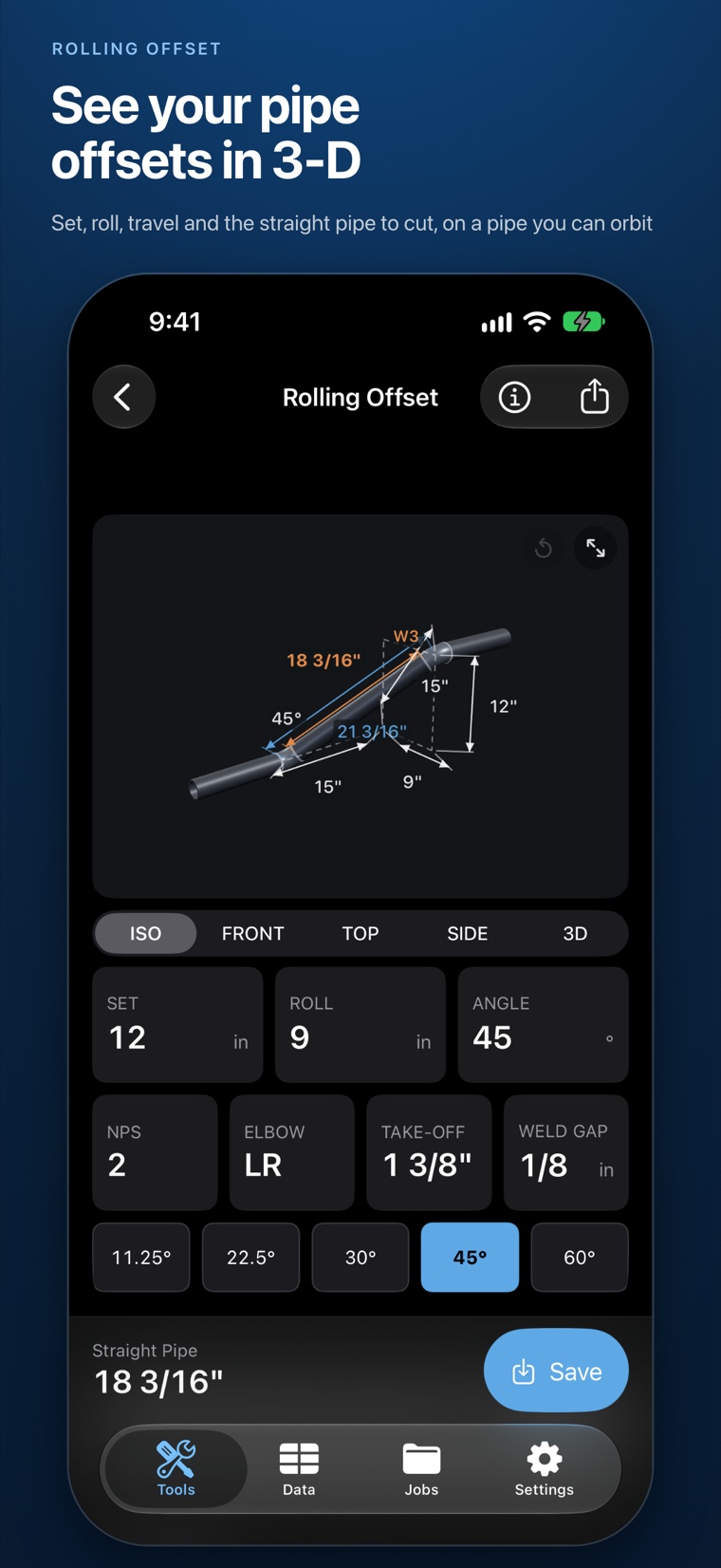
01See your offsets in 3-D 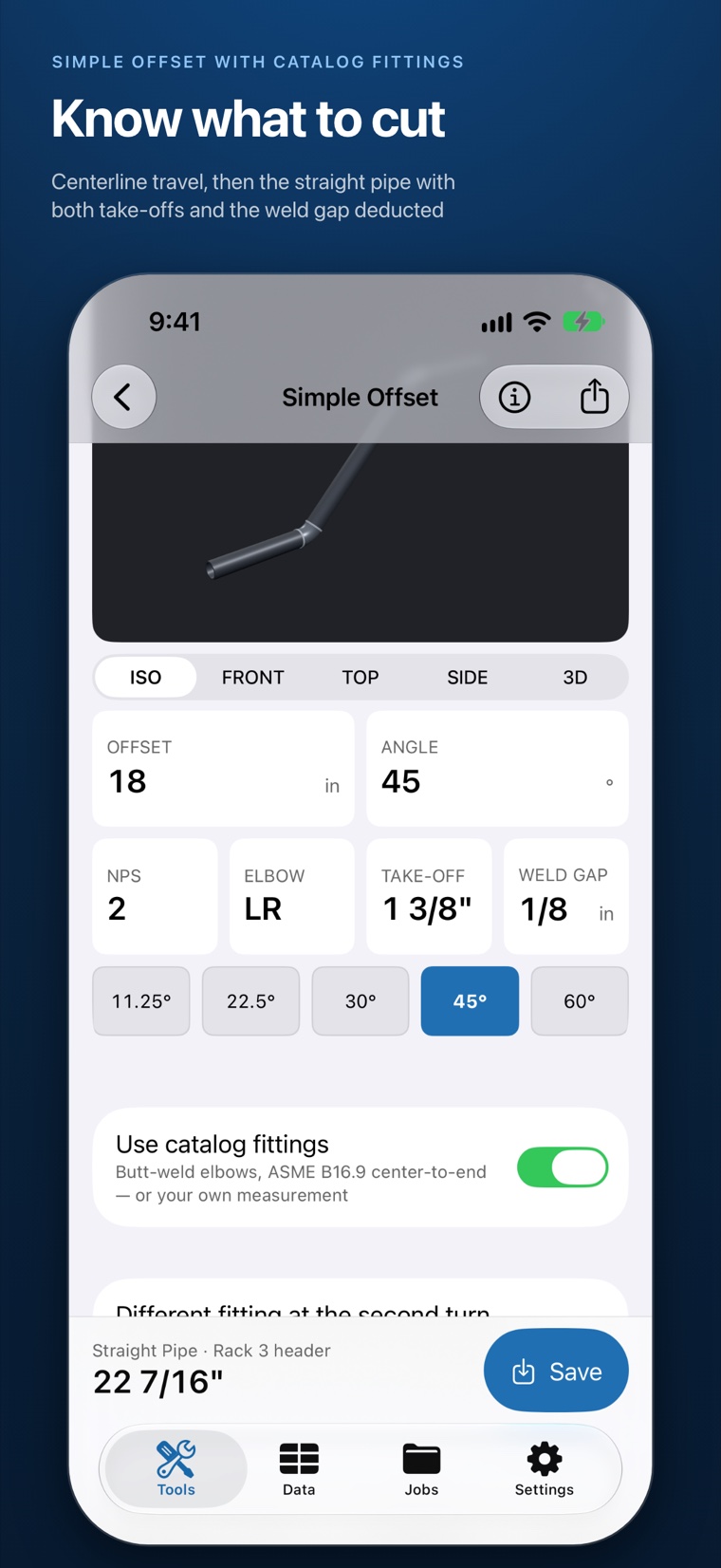
02Know what to cut 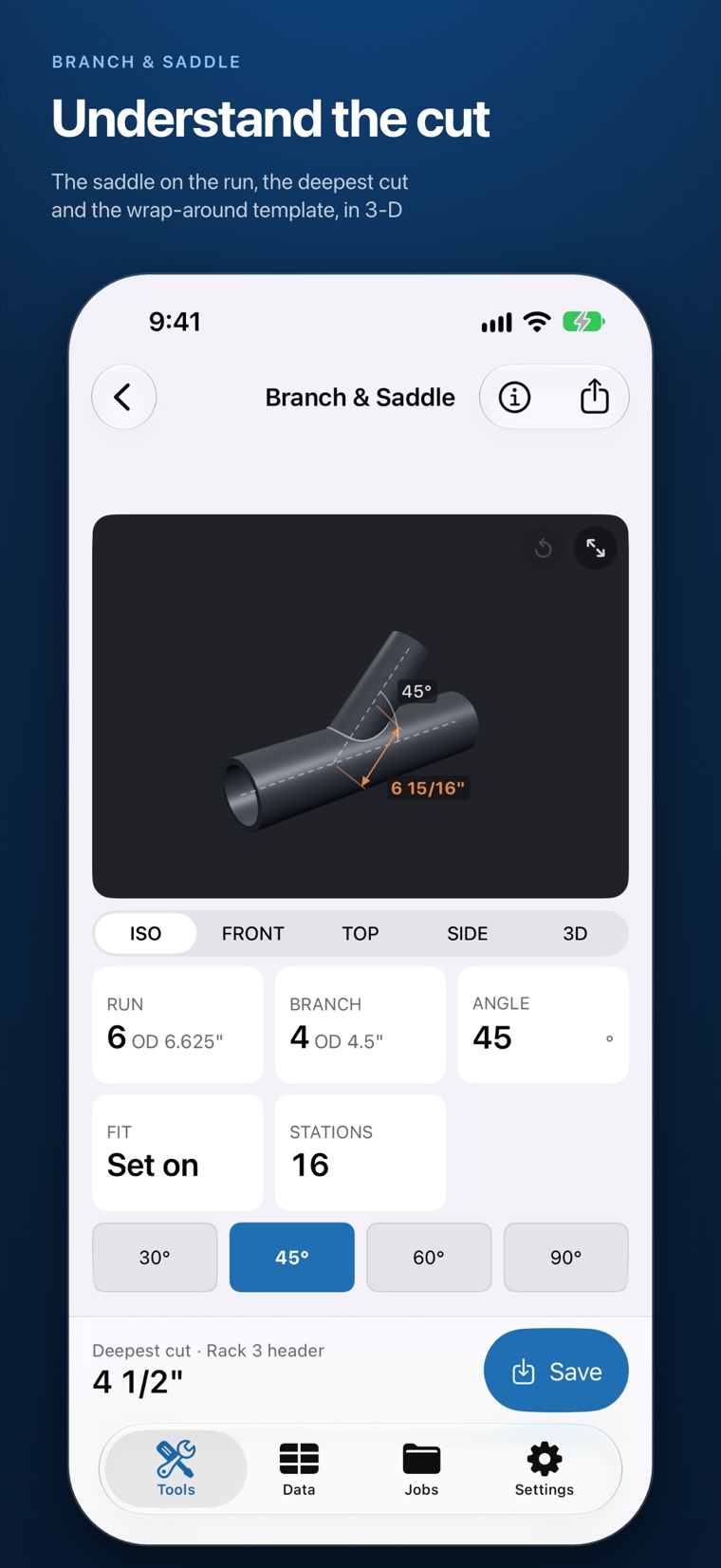
03Understand the cut 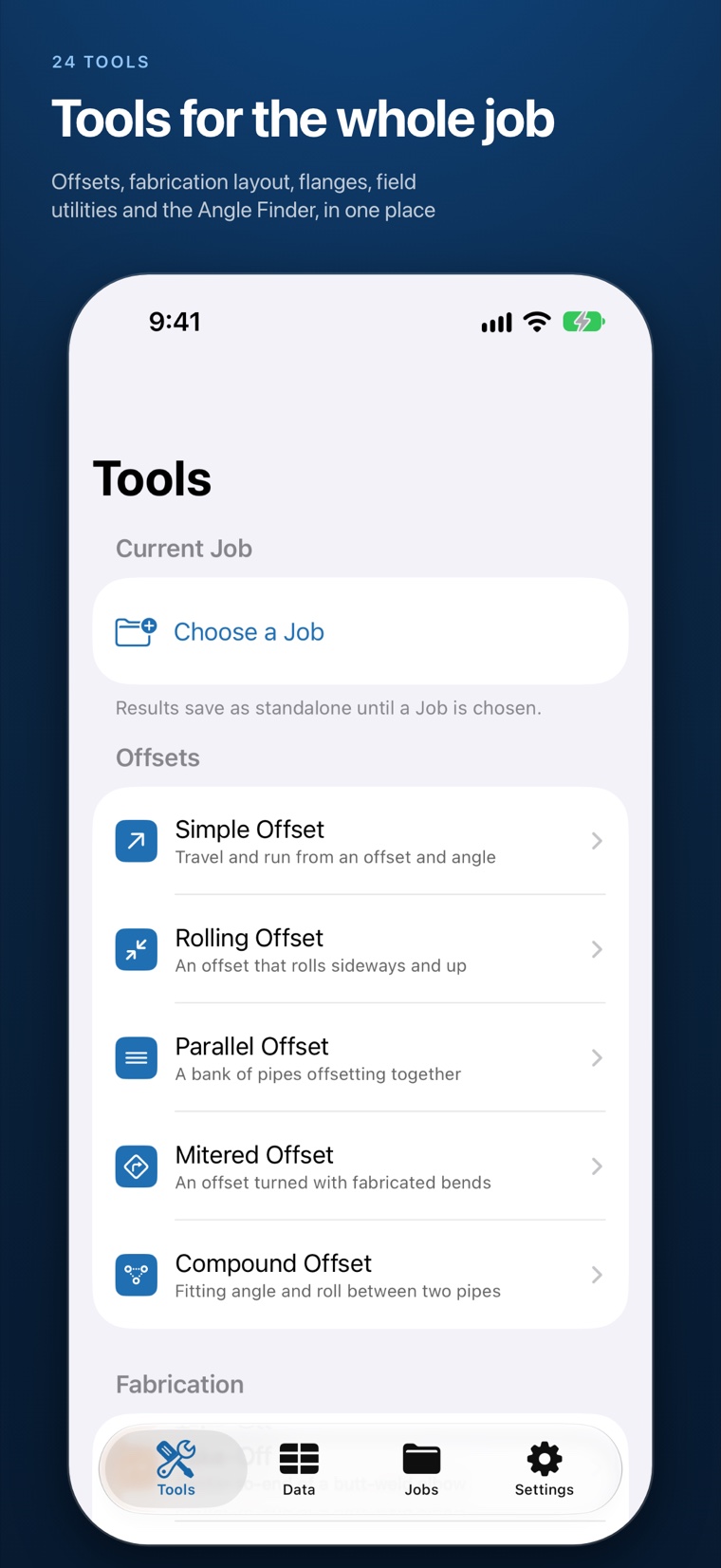
04Tools for the whole job 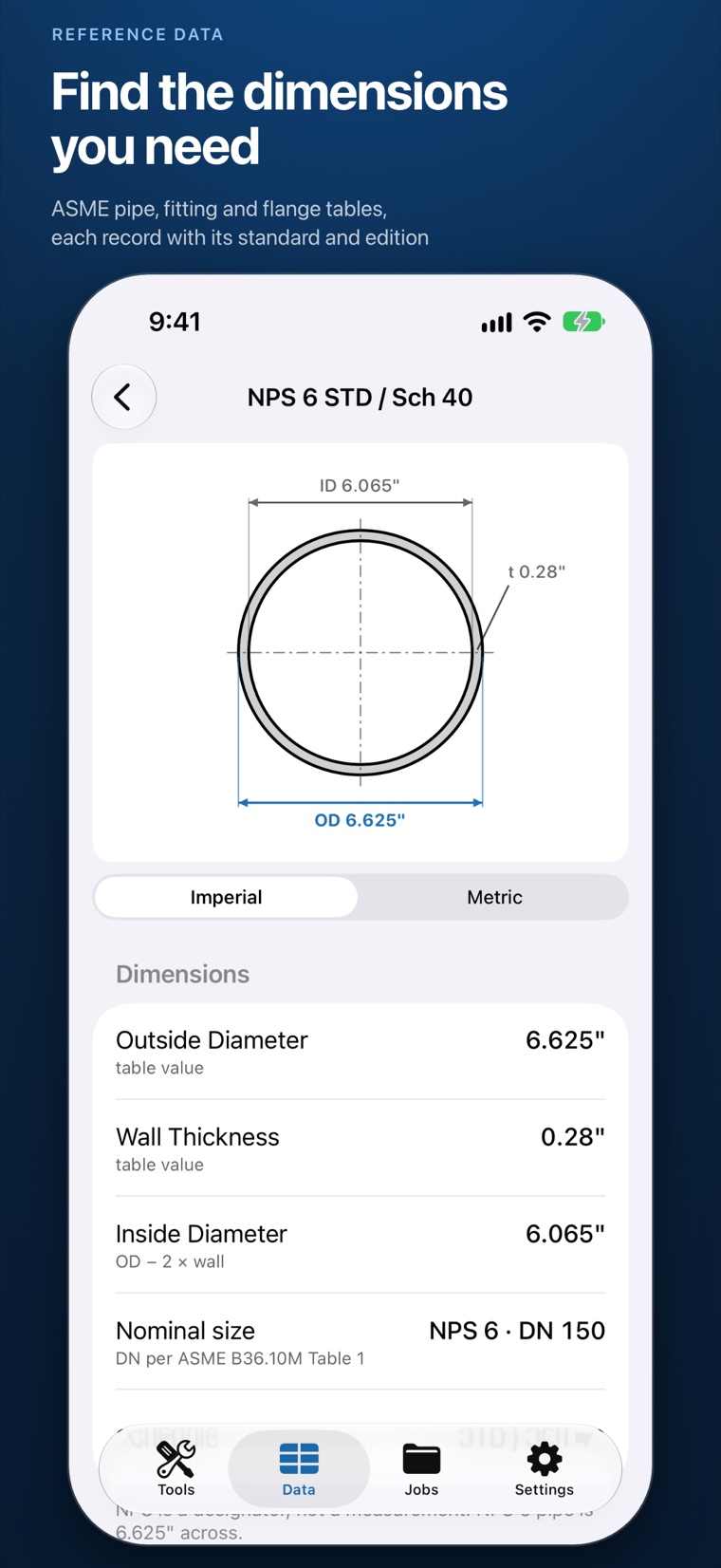
05Find the dimensions you need 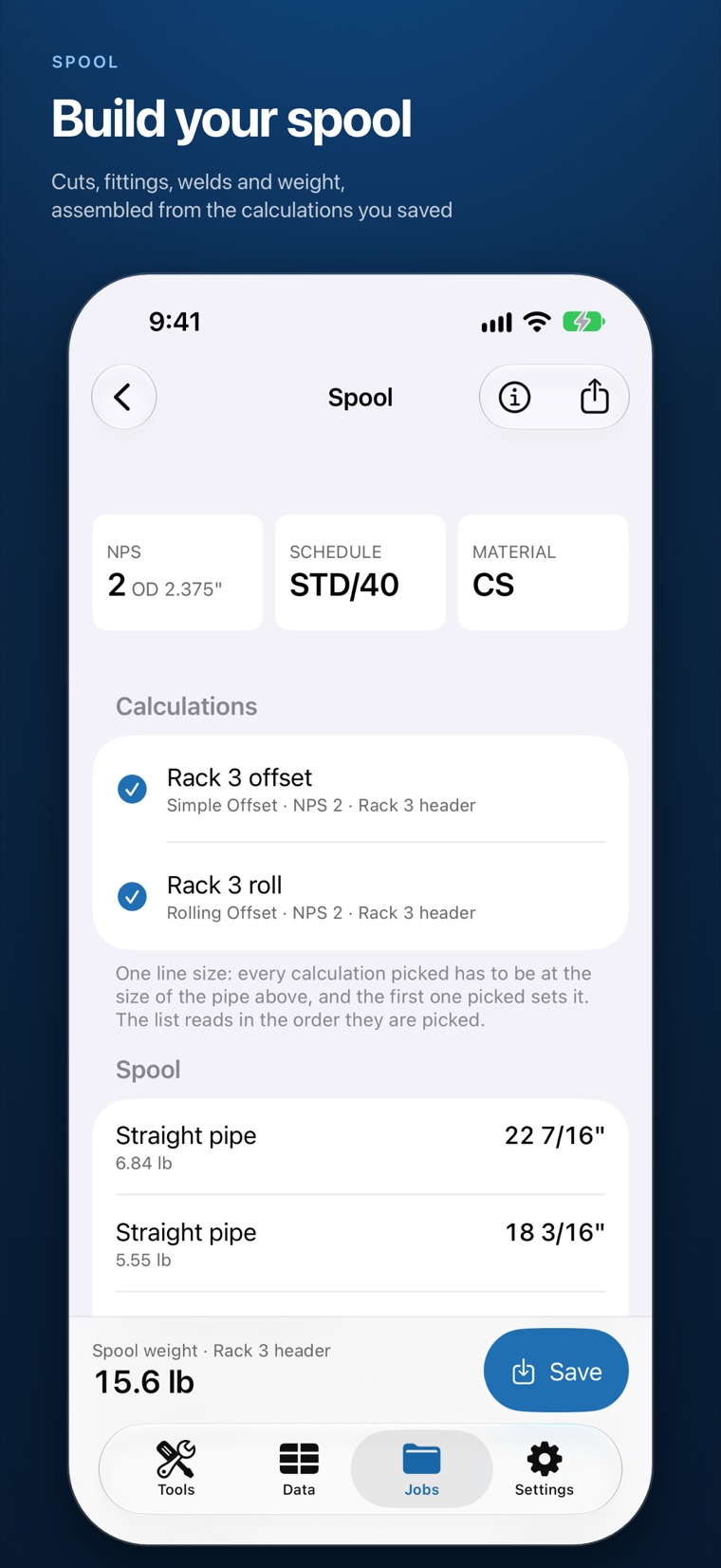
06Build your spool 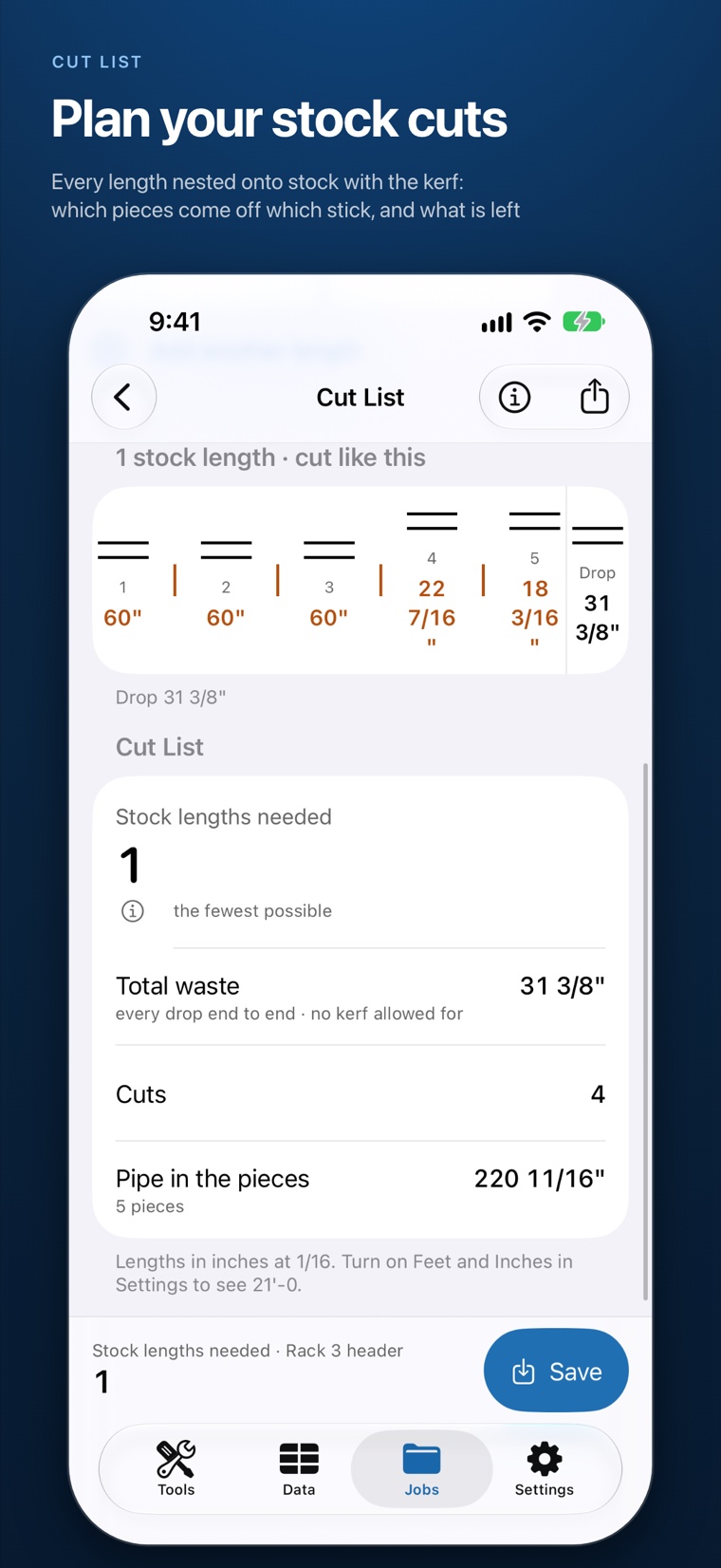
07Plan your stock cuts 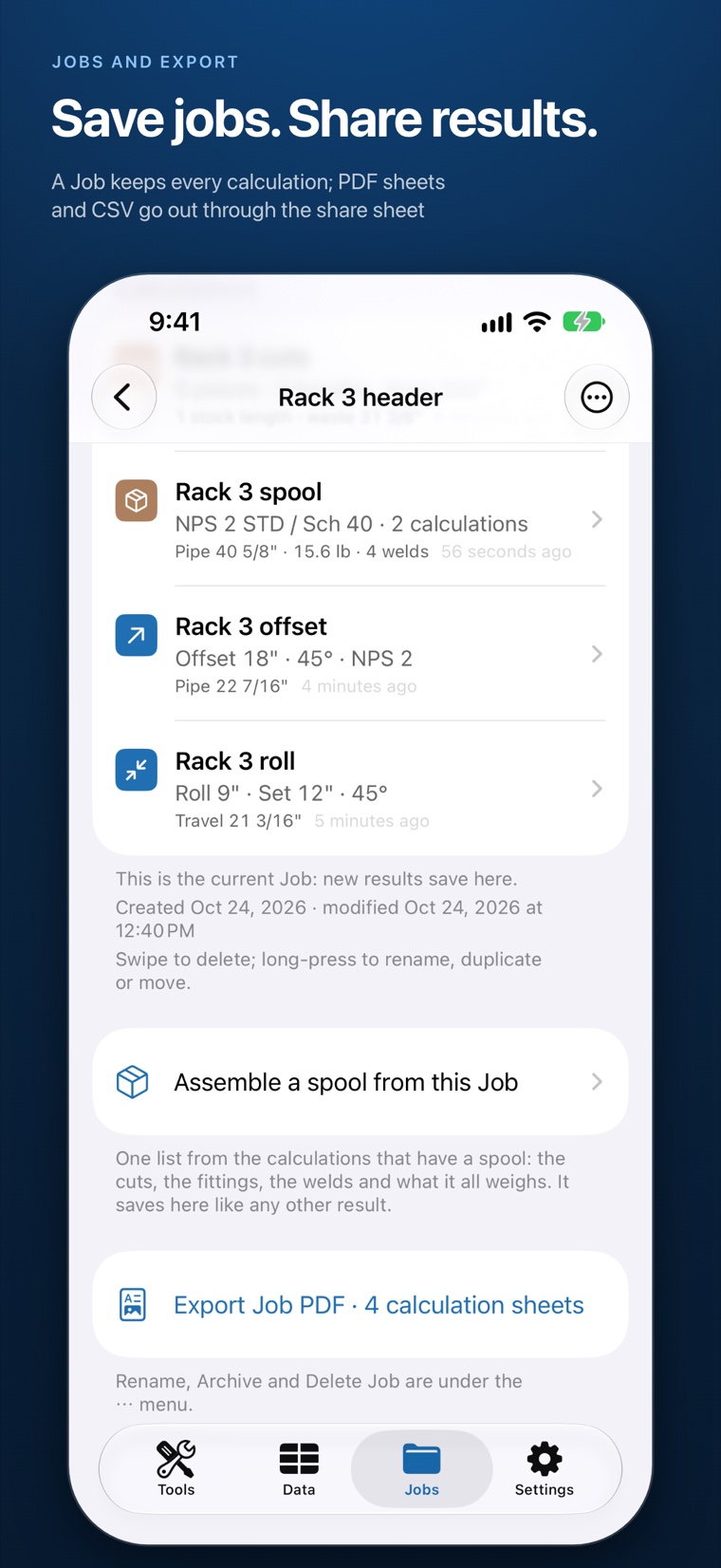
08Save jobs. Share results.


Calculate the offset
- Simple, rolling, parallel, mitered and compound offsets, at 45°, 22½°, 30°, 60° or any angle you type
- Rolling offsets give the true offset, the travel and how far to turn the flange off two-holed
- Turn on catalog fittings and the straight pipe length is worked from the ASME B16.9 take-off and the weld gap you enter. Every result says what it includes; a result without a take-off is labelled centerline, never a cut length
See the geometry
- Every offset, miter, branch and trimmed elbow is drawn as a real 3-D pipe with its dimensions: ISO, front, top, side or free orbit
- Tap a result and the piece it belongs to lights up on the model
Lay out the cut
- Miter: cut angle, piece lengths, cutback and the wrap-around cut line
- Branch & Saddle: the template, the hole to cut and the joint, at any branch angle
- Elbow Trim: cut a factory elbow down to an angle no fitting is made in
- Cut Line Template, Stations, Take-Off, flange Two-Holing and Bolt-Up order
Build the spool, plan the stock
- Spool: one fabrication from your saved calculations, with its cuts, fittings, welds and the weight of its pipe and bends
- Cut List: every length nested onto stock with the saw kerf. Which pieces come off which stick, what is left, and whether the stick count is the fewest possible
Look it up
- ASME B36.10M and B36.19M pipe tables: OD, wall, ID, area, volume and weight for every schedule
- ASME B16.9 butt-weld and B16.11 socket-weld and threaded fittings; B16.5 and B16.47 flanges with their drilling
- Suggested support spacing from ASME B31.1
- Every record names its standard and edition, and can send its values straight into a tool
Field utilities
- Fraction calculator and decimal-to-fraction conversion, unit converter, slope and grade, triangle solver, drawing scale, pipe volume, pipe weight
- Barlow: the pressure a pipe wall takes to its grade’s yield or tensile strength
- Angle Finder: lay the phone on the pipe, hold the reading and send it into an offset
Save the Job, hand it off
- Jobs keep a project’s calculations together; reopen any one with the inputs it was saved with
- PDF calculation sheets with the drawing, inputs, results, assumptions and references; Job PDF and CSV; plain text
- Siri and Shortcuts answer a simple or rolling offset and a pipe size; saved calculations and Jobs show up in Spotlight
Measurements in fractional inches (12 7/16), feet and inches, or millimetres with the metric setting. Fraction precision from 1/8 to 1/64.
One purchase
Every tool is in the download. No subscription, no in-app purchases, no account, no ads. Works completely offline, and nothing you enter leaves your phone.
About the numbers
FitterForge gives layout dimensions from plain geometry and the standards’ published tables. Table weights are publishers’ approximate figures, and Barlow is a material-limit figure, not a working or design pressure. Check results against your drawings and the standards that govern your work.
Availability and help
Developed here. Supported here.
FitterForge for iPhone is awaiting its App Store release; the store link will appear on this page when the app is published. FitterForge for Android is a separate app, available on Google Play, with its own privacy policy.
Questions, a value that looks wrong, a tool you wish it had: write to contact@brazierlabs.com.